RSS2.0

I moved to Debiprasad.net. Now I am blogging there, so please visit Debiprasad.net and keep me reading. love, Debiprasad

Ask questions related to online shopping in India

Where to buy online in India?

wheretobuyonline.in

Showing posts with label Google. Show all posts

Multiple Login Options for Google Friend Connect


Now Google Friend Connect introduced Multiple Login Options. You can choose Google Account, AIM, Yahoo, Netlog or OpenID ids to log in to Google Friend Connect. This will attract more people to use Google Friend Connect.

Which id do you prefer to log in to Google Friend Connect? Do you use Google Friend Connect in your site/blog?

Multiple Login Options for Google Friend ConnectSocialTwist Tell-a-Friend TwitThis

Google Said Sorry

Before an hour the world saw Google saying the WWW is infected and can harm your computer. At that time, I was browsing Google Webmasters Tool and I redirected to a page, in the domain name sorry.google.com and it said me query looks like from a virus or a spyware. Here is the image. I think this error message is somehow related to the Google Search Issue.

Google Said SorrySocialTwist Tell-a-Friend TwitThis

Google Your Names


It's interesting and fun to search your names in search engines, specifically Google. Sometimes you may find links related you or related to other people sharing your name. And if you want to know about any person, you may try to google their name. You may find some related information. Gone those days, when you can only get information about popular people from other websites and wikipedia etc. Allowing search engines to index profile pages of LikedIn, FaceBook, etc. made it easier for other people to make a online identity searchable be search engines. In addition to this Google also shows suggestions with any name of the person. Now you can easily find out which are the most searched and mostly available (on the world wide web) names.

Google Your NamesSocialTwist Tell-a-Friend TwitThis

Ads by Google in YouTube

Wish you a very happy new year. However it may be late to wish you, so please forgive me. Anyways this is my first post of the year.


Today I saw Google Ads on YouTube video. These ads are text ads and appears above the lower part of the video. Google added this feature to YouTube videos bit late. But one thing I dislike is Google ads covers the second related video on the screen when playback finishes. See the image below.


And I am waiting for the day, when they will show Video Advertisements before or/and after the video.

Ads by Google in YouTubeSocialTwist Tell-a-Friend TwitThis

Make a list larger than you can think

Google Sets is a service from Google Lab, which creates a list or set for you from a set of few items. There are two options: to get a Large set or a Small set (15 items or fewer). As per example if you want to create a list of search engines and you know a few, just type those few items and Google Sets will create a Larger set or list of many search engines. Another example if you provide one or more names of Bollywood actors, then it will list so many actors' names, and some terms related to these.

However, I found some terms which is not related to the set you want to create, in the set of all Bollywood actors, the terms India, Mumbai, Britney Spears, Angelina Jolie are OK, but what "html guider" is doing here? Also it's not difficult to filter out these odds out manually from the set. And I believe people will find many innovative ways to use it.

Make a list larger than you can thinkSocialTwist Tell-a-Friend TwitThis

Now Control Your Gtalk Status from Orkut

Update: Now you can chat in Gtalk inside Orkut as you do inside Gtalk
Control Your Gtalk Status from Orkut
Orkut introduced a new feature to control your Gtalk status (available, busy, invisible and offline) and also Orkut online status if you are not logged on to Gtalk. If you are also logged on in Gtalk, the change you make at Orkut interface will immediately applied to your Gtalk. Only one exception is if you make your status as offline at Orkut interface, you will not be logged out from Gtalk and no changes will be there. If you are using Gtalk IM software for Gtalk, then the invisible will not work, as Gtalk (IM windows client) does not support invisible feature.

And if you are not logged into Gtalk, you can also change your status. If you have opened Orkut page and busy with other page, then after some interval, it will automatically goes idle.

Control Your Gtalk Status from Orkut - Header bar
You can change this status below your profile photo in your home page and at the header bar near your email address. However Gtalk Video and Voice symbol not works here.

Now Control Your Gtalk Status from OrkutSocialTwist Tell-a-Friend TwitThis

No commercilization of YouTube video

As Google updates the TOS of YouTube, I removed all the ad blocks from Oriya Video Songs. So now there is no commercialization of YouTube videos, but Oriya video lovers can watch those videos. However there is a search box (uses Adsense for Search) and it displays ad on a separate page, where there is no YouTube videos embedded. This is legal and becomes only source of revenue from this.

Thanks Amit for this info.

No commercilization of YouTube videoSocialTwist Tell-a-Friend TwitThis

Google Search Result Hijacking

I was searching for "nariman house" to know more about it. Most of the results are from news websites, so I was looking for any wikipedia link. There on second page, I found a suspicious result. Please look at the image below to understand it.


When I opened this link it forwarded to a page (http://germes.org.in/scaner/) and started showing some fictitious system scan animation and reported that my system contains threats. And on clicking on any part of a pop-up look like window, prompts to download a executable file which they call as windows antivirus and tells that it can remove spyware. The download location is defence-live-scan.com . It's a kind of advertisement. Whatever it be, it's noway related to the search result. See this video for more understanding.


Now again I tried to capture these events, the link redirects to a Google custom search engine page with results for "nariman house". Again when I clicked on the result it showed me the Google custom search engine page.


I don't understand how the result came in Google search result and what to call it? I named it as Google Search Result Hijacking. If you can suggest any good name, this may be better.

Google Search Result HijackingSocialTwist Tell-a-Friend TwitThis

Have You Saved 9-77-33-00000 in Your Mobile or Not

Get cricket scores, Indian Railways train schedules & ticket status, horoscopes, movie showtimes, restaurant information and more ...all through SMS on your phone.

Yes, this is a free service from Google Mobile. You will not be charged any premium charge for this. Only you will have to pay the local SMS charge to send the SMS, which is very less as per your plan. (Max Re 1 in some mobiles, else very cheap in other plans, some has also free SMS facility). There are few services available from the mobile operators and other service providers who charge you to give you information. Now forget those use Google SMS.

When you need any information on the go,just type the keywords and send to 9-77-33-00000. Such as Pizza near your area, movie timing, train schedule, railway pnr status or any other info.

Don't use this to search regular queries as you do it at Google search. Else you will get no result and your money will be lost for sending that SMS. So visit this page and have some experiment there with their interactive demo, to know it better. e.g. if you search for cricket, you can get live cricket scores, but if you search for football, it will not return any result. So, don't forget to save 9-77-33-00000 to your mobile phone book, do it now!

Extra:
Google is available as a word, in most dictionaries, which explains about the Google search or Google company. But not google (starts with small g). This is same for the dictionary of Mozilla Firefox. And I also find it in T9 dictionary of my mobile phone (Sony Ericsson K 790i).

Update
I found that many people complain regarding that their mobile operators are charging more money than standard (treated as local in general) SMS tariff. RIM is charging Rs 3, where Airtel (local SMS 50 paisa, National Re 1 and International Rs 3) charging Rs 1.50 paisa. Please share your experience with it.

Have You Saved 9-77-33-00000 in Your Mobile or NotSocialTwist Tell-a-Friend TwitThis

Spelling Suggestion in Firefox Search Toolbar


You must have seen spelling suggestions when you type anything wrong and searched in Google. (Did you mean: ***). I found something similar here while searching for any term in Google directly from Mozilla Firefox search toolbar. If you type any misspelled word, in auto suggest, it will show the corrected terms. e.g. when I started typing "plagiria", it suggested me "plagiarism" and related searches. This helps us to save our time as compared to searching the misspelled term and then getting suggestion on the result page.

Spelling Suggestion in Firefox Search ToolbarSocialTwist Tell-a-Friend TwitThis

A Spelling Mistake can Keep You on the Top

A spelling mistake... everyone does. Frequent reasons for these are less familiarity or use of that word and typo error. Typo errors frequently occurs when we type at a fast speed and not familiar with the keyboard layout. When you have spelling mistakes in your blog, your readers may not like them. But Google Bot have no problem with any spelling mistake. It indexes without any hassle. Then how it can be benefited? Simple..., like you do spelling mistake while typing something, many people also make spelling mistake while typing keywords for search. If Google found that misspelled term in any website or blog, it displayed in the result. So there is a chance (however less, as Google shows spelling suggestions for search keywords) that the person may pay a visit to that website or blog.

I came to know these when I was checking top keywords for this blog in Google Webmasters Tool. I misspelled the word trends as treands and many people search for "google treands". This term comes in top ten keywords for this blog and this blog is also listed in top ten of that result. However I never get any visitors from this.

I use mozilla firefox and it's spelling suggestion is also turned on. I wonder how I made that spelling mistake!!! Anyways, it give some fuel to write something useless. ;)

A Spelling Mistake can Keep You on the TopSocialTwist Tell-a-Friend TwitThis

Display Images in Gmail and Google Adsense

I subscribe feed of a blog via email. The feed of that blog is burned by feed burner and have one or two Google Adsense ad blocks. By default all images in the email will not be shown, and this time you would not be able to see those ads. And if you turn on to display images, it will display images as well as the ad blocks. Please look at the images below.

Display images turned OFF (By default)


Display images turned ON


It's a suggestion to all bloggers to add images to their blog. It will attract your reader to read your post and the reader will less bored (If your blog is boring like me!!!). Also it's a better idea to have some alternate texts such as "image" or "Love Story - Image" (where the image is about love story... ;) ). This will appeal reader to turn on images to see the images included in your post and in addition to this your user can able to see the ads. Happy burning your blog feed!

Display Images in Gmail and Google AdsenseSocialTwist Tell-a-Friend TwitThis

I miss Full Screen Option in Google Chrome - Post One Month Review

It's around one month, since Google Chrome released. Soon after release it had taken 2% of browser market. I also like most of the features in it. I have switched some special site visiting to Google Chrome. I found difficulty while downloading some files in Mozilla Firefox 3. Every time it used to get corrupted. I used Google Chrome for downloading those files and found the downloaded files are OK. So some of my http downloads are now managed by Google Chrome.

Now I prefer to watch sites with rich flash contents in Google Chrome. YouTube, thecinema.in (a movie booking website created in flash, it takes much time to load on a slow connection) and official movie websites, etc. fall under this category. One week back I visited the official movie website of Kidnap. There I found the website needs vertical scroll. To view it better, I thought to make it full screen. But I did not find the option to make Google Chrome full screen. I could not believe it easily, so I searched it for a long time, still did not find (If I am wrong, then please inform me).

I use Mozilla Firefox for most of the websites need authentication. It's now difficult for me to remember all my passwords and fill the login form every time. Thanks to the password manager, to save my time by managing my login information. However this password manager is also available in Google Chrome, but I miss master password option. This master password make it more secure.

Google Chrome as Stress Buster
You may not believe, but it's true. Sometimes I use Google Chrome as stress buster, by playing with the tabs. Making a new window from tabs by dragging and merging many windows to a single window is worth of fun!

Once I found Google Chrome stopped responding. But the problem was not with the application. I guess it's is due to excess heat of my hard disk. All other applications also joined Google Chrome to stop responding! It forced me to shutdown my system forcefully and give it some rest.

Please share your experience with Google Chrome and other browsers.

I miss Full Screen Option in Google Chrome - Post One Month ReviewSocialTwist Tell-a-Friend TwitThis

Broken Link in Google

Do you believe the title? I also got surprised. But this is true. "http://www.google.com/sitesearch?utm_medium=et&utm_source=analytics&utm_campaign=en" link returns "404 Not Found" error. This link is found on Site Search Overview page of google analytics.

Broken Link in GoogleSocialTwist Tell-a-Friend TwitThis

New Favicon of Google

I found that Google now using a new cool looking favicon. I found it in Adsense and Webmaster Tools pages. Have a look to this.

New Favicon of GoogleSocialTwist Tell-a-Friend TwitThis

jetAudio Information Viewer serves Google Ads

Let me tell you that jetAudio is my favorite media player from a long time. Since its version 4 I am using it. Now it's in its 7.0.3.3016 version. I am using the basic version, which is free. Today for the first time I noticed Ads by Google in its information viewer.


Well its a very good concept to use google adsense to generate some revenue and user as me can use the product for free.

jetAudio Information Viewer serves Google AdsSocialTwist Tell-a-Friend TwitThis

I lol, when I saw this blog in Google translation

Thanks to Shubh, when I saw the Google widget to translate his blog, I just translated it to Hindi. I did not read more in Hindi there, I just checked how Google translator translates my blog in Hindi. When I started reading it, I only laughed a lot. Google translator is a great tool, however it is not an easy task to translate properly. But it was very funny. You can see this here. Or you can have a look here also in this image.


I tried to suggest the better translation, but when I tried to edit this, I could not type in hindi. So, if google can implement the transliteration tool here, then it can be benefited. And if more people can contribute this as we do for wikipedia, then it could be better.

I lol, when I saw this blog in Google translationSocialTwist Tell-a-Friend TwitThis

Funny Advertisement by Google

I saw a funny ad by Google on a website. The title of that ad says Funny Desktop Wallpaper, but the description says "Vostro 1400 at Rs 33,900 With With Intel® Centrino® Processor". Funny nah!

Funny Advertisement by GoogleSocialTwist Tell-a-Friend TwitThis

Quick Corrency Converter :: Google

Do you want to convert any currency to another. So take the quickest way. It's nothing but our favorite search engine, Google. Learn how: There is one specific format for this. You have to use this format always. And don't forget this combination (I always forget this).
Value From_Currency in To_Currency.
Value: Value (number) which you want to convert. (e.g. 100)
From_Currency: The currency from which you want to convert. (e.g. USD)
To_Currency: The currency to which you want to convert. (e.g. INR)
So, you have to type 100 USD in INR in the google search text box. You can type it in any case (100 usd in inr), so that you can save your time. It will give you the result
100 U.S. dollars = 3 963.37838 Indian rupees

Some more you can do in Google for currency also.
currency of UK in Indian money will return

1 British pound = 77.8962388 Indian rupees
.

5 British pounds in South Korean money
will return

5 British pounds = 9 288.27977 South Korean won


This one is more interesting. Here it is the combination of Calculator and Currency converter.
2.2 USD per gallon in INR per litre will return

2.2 (U.S. dollars per US gallon) = 23.0343035 Indian rupees per litre

So, save your time and be powerful with the power of google

Quick Corrency Converter :: GoogleSocialTwist Tell-a-Friend TwitThis

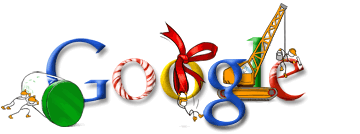
Happy Holidays from Google - Childish Logos

Google, any time you will see its logo, always childish. But that childish look is not so easy. Let it be any occasion, you will find a funky or beautiful google logo. Here I am putting some of their creations, to give you some more visual information.


Not from Google only, I wish happy holidays to all. Wish u a merry Christmas.

Note: These Google logos are copyrighted material of Google.
You can see these in this link

Happy Holidays from Google - Childish LogosSocialTwist Tell-a-Friend TwitThis

My Shared Items in Google Reader

My Blogroll

Followers

Want to see/show anything here? Contact me :)